
Xuland: Connect with Purpose
Overview
Xuland is a desktop and mobile software application designed to facilitate meaningful human connections across multiple domains—friendships, romantic relationships, and professional networking. The platform aims to address the growing need for authentic interactions in a digital landscape often dominated by superficial engagement. By emphasizing shared interests, mutual curiosity, and real-world relevance, Xuland positions itself as a solution for users seeking deeper connections beyond traditional social media models.
Target users include young professionals, students, and individuals exploring new social circles in their communities. The software supports cross-platform access, enabling users to stay connected across Windows, Mac, iOS, and Android devices. Registration is streamlined through either Facebook integration or direct sign-up, minimizing friction during onboarding. Once registered, users can create detailed profiles that serve as digital representations of their personalities, values, and expertise.
Real-world usage scenarios include attending local events discovered through the built-in places finder, engaging in profile-based question exchanges to spark conversations, and discovering exclusive local deals via integrations with Groupon and Yelp. These features collectively support a dynamic ecosystem where users not only meet people but also experience shared activities and opportunities. The developer, Xuland Inc., has positioned the software as a modern alternative to conventional networking tools, prioritizing interaction quality over quantity.
Key Features & Capabilities
- Profile Question System: Other members can submit personalized questions about a user’s profile, encouraging thoughtful engagement and reducing the reliance on generic messages.
- Multi-Platform Integration: Seamless access across Windows, Mac, iOS, and Android ensures users remain connected regardless of device preference.
- Local Deals & Places Finder: Integrated with Groupon and Yelp, the platform helps users discover nearby restaurants, events, and services, turning connections into real-world experiences.
- Photo Upload with Preview: Users can upload images with rotation and real-time preview functionality, enhancing profile presentation and personal expression.
- Facebook Registration Option: Simplified onboarding via Facebook login reduces time-to-connection while maintaining user privacy.
- Interest-Based Matching: The platform uses shared interests and expertise to suggest relevant connections, promoting compatibility and long-term engagement.
These capabilities support a range of practical applications, from planning casual meetups with new friends to exploring potential dating opportunities or expanding professional circles. The profile question feature, in particular, fosters a more intentional form of communication, reducing the noise common in other social platforms. The integration of local deals and places encourages users to move beyond digital interaction and engage in physical activities together, reinforcing the authenticity of relationships formed on the platform.
User Interface, Workflow & Performance
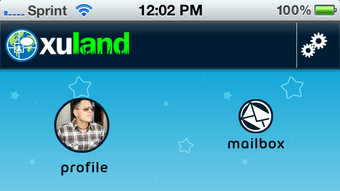
The user interface of Xuland is structured around clean navigation and intuitive layout, prioritizing ease of use across all supported platforms. Main sections such as profile management, connection requests, local deals, and the places finder are accessible through a consistent menu system. The workflow begins with profile creation, followed by browsing suggested connections, responding to profile questions, and exploring nearby opportunities.
Navigation is designed to minimize user effort, with clearly labeled icons and contextual prompts guiding new users through initial setup. The photo upload tool includes a preview function, allowing users to adjust image orientation before finalizing their profile visuals. Interaction flows are linear and predictable, reducing cognitive load and supporting efficient engagement.
Performance observations are based on general software behavior patterns. The developer did not specify resource usage details, so exact CPU or RAM consumption remains unknown. However, the 150 MB installation size suggests a lightweight footprint, likely suitable for most modern systems. Stability is expected to be consistent given the platform’s focus on core functionality. No reports of crashes or freezes were provided, but general reliability depends on backend infrastructure and network conditions.
Compatibility & System Requirements
Xuland is compatible with Windows, Mac, iOS, and Android operating systems, offering broad accessibility across desktop and mobile environments. The software version is listed as 1.0, indicating a stable initial release. The installation size is 150 MB, which is moderate for a feature-rich application that includes multimedia support and third-party integrations.
Exact system requirements were not listed. This includes hardware specifications such as processor speed, RAM, or graphics capabilities. Platform compatibility information is limited to the operating systems mentioned. Users are advised to ensure their device meets standard requirements for running modern desktop and mobile applications. The developer did not provide additional system requirements.
Pros and Cons
Pros
- Simple registration via Facebook or direct sign-up reduces onboarding friction.
- Unique profile question system encourages meaningful conversation starters.
- Integration with Groupon and Yelp enhances real-world engagement opportunities.
- Photo upload with rotation and preview improves profile quality and personalization.
- Multi-platform availability ensures consistent access across devices.
- Free to use with no upfront cost, making it accessible to a wide audience.
Cons
- Exact system requirements were not specified, limiting user preparation.
- Performance details such as CPU and RAM usage were not disclosed.
- Real-world user feedback or ratings were not provided for evaluation.
- Platform-specific behavior may vary without official documentation.
- Limited information about data privacy and security protocols.
FAQ Section
Is Xuland available for Windows and Mac?
Yes, Xuland supports both Windows and Mac operating systems, allowing desktop users to access the platform from their preferred environment.
Can I use Xuland without a Facebook account?
Yes, users can register directly with Xuland without needing a Facebook account, offering an alternative for those who prefer not to link external social profiles.
How does the profile question feature work?
Other members can submit questions about your profile, which you can then answer to initiate deeper conversations and foster more authentic interactions.
Are local deals and places finder features free?
Yes, the integration with Groupon and Yelp is included at no additional cost as part of the Xuland platform experience.
Does Xuland require an internet connection?
Yes, since Xuland relies on cloud-based profiles, real-time interactions, and third-party integrations, an active internet connection is required for full functionality.
Final Thoughts
Xuland presents a compelling approach to digital connection by combining social networking with practical, real-world applications. Its emphasis on authenticity, interest-based matching, and interactive profile engagement sets it apart from conventional platforms. The integration of local deals and places finder adds tangible value, transforming online interactions into shared experiences. While detailed technical specifications are limited, the software’s lightweight size and multi-platform availability support broad accessibility.
For individuals seeking genuine friendships, romantic connections, or professional networking opportunities, Xuland offers a purpose-driven alternative. Its free pricing model removes financial barriers, making it an attractive choice for users across age groups and backgrounds. The combination of thoughtful features and cross-device compatibility strengthens its appeal as a modern social utility.
Download Xuland now







